.svg)


Website Development Process: Step-by-Step Guide
Building a solid user journey map at this stage is one of the most effective ways to ensure the site structure actually reflects how your audience moves from awareness to a decision
Most website projects that go over budget or miss the mark share one thing in common: the process was not defined upfront. Everyone jumped to design before the strategy was locked, or development kicked off before content was ready, or testing got squeezed into a single day because the launch deadline did not move.
A well-run website development process changes all of that. It gives every stakeholder a clear picture of what is happening, when, and what they need to bring to each phase. The result is a site that actually works - for users, for search engines, and for the business behind it.
This guide breaks down the full website development process step by step: what happens in each phase, how long it typically takes, and what to expect at every stage.
What is the website development process?
The website development process is the end-to-end lifecycle of building a website, from the initial strategy session to post-launch monitoring and iteration. It is not just about writing code. It covers research, planning, design, content, development, testing, and everything that happens after go-live. The same phases apply to website redesign services, with the added work of auditing what already exists before deciding what to keep, change, or remove.
A documented process matters because web projects involve a lot of moving parts across a lot of different people: strategists, designers, developers, copywriters, and clients. Without a shared framework, things fall through the cracks. With one, you get a site that is built intentionally, delivered on time, and set up to perform from day one.
How long does website development take?
The timeline depends on the size and complexity of your project. A straightforward marketing site for a small business will move faster than a large ecommerce website development project or a custom web application. That said, most projects follow a similar structure. Factors like platform choice, content readiness, and the number of feedback rounds all affect the final timeline. For a full breakdown of what drives website development cost, the scope and timeline are the biggest variables.
For a typical marketing website, plan for 10–16 weeks from kickoff to launch. Larger or more complex projects can run longer. If a vendor is promising two to three weeks for a full build, ask what is getting cut.
The 7 phases of the website development process
Phase 1: Discovery and planning
Discovery is where the project actually starts. Before anything gets designed or built, the team needs a shared understanding of what the website is supposed to do and for whom.
What happens in this phase:
- Define business goals and success metrics (lead generation, eCommerce revenue, brand awareness)
- Identify target audience segments and their needs
- Research the competitive landscape and identify gaps
- Establish technical requirements: integrations, CMS preferences, accessibility standards, performance benchmarks
- Align on scope, timeline, and budget
- Documenting these website design requirements before design begins gives everyone a shared reference for functionality, content, SEO, accessibility, integrations, and performance, reducing the risk of major scope changes later in the project.
What you need to bring:
- A clear sense of your business goals
- Any existing brand assets (logo, fonts, color palette)
- Examples of websites you like and why
- A list of must-have features or pages
The most common mistake: skipping discovery and jumping straight to design. It feels like it saves time. It almost always costs more time later because the design ends up solving the wrong problem.
A solid discovery phase produces a project brief and technical spec that the entire team builds from. Everything downstream gets easier when this is done well.
Phase 2: Information architecture
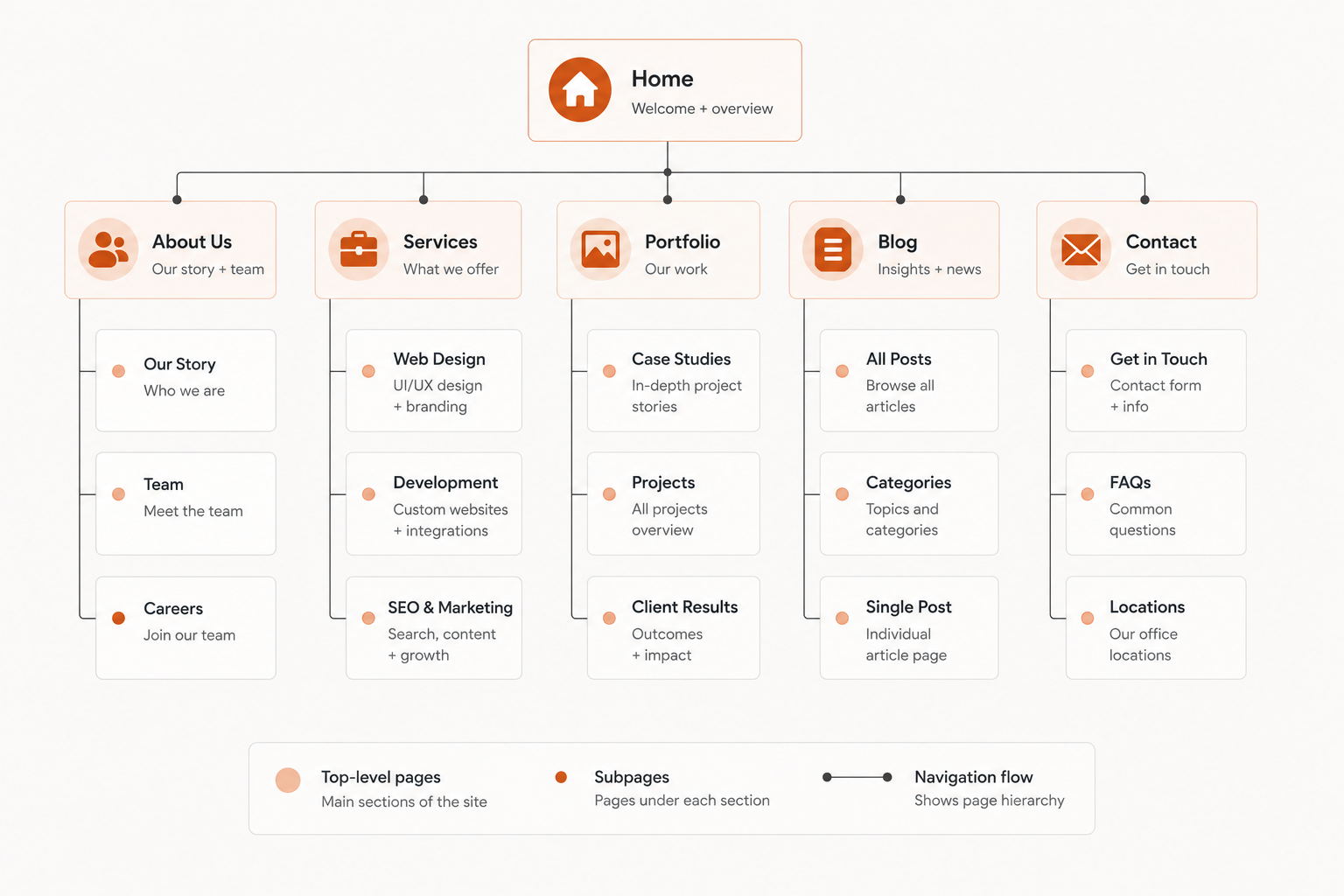
Information architecture (IA) is the structure and hierarchy of your website. It determines how content is organized, how pages relate to each other, and how users move through the site from entry point to conversion.
What happens in this phase:
- Build the sitemap: a full map of every page on the site and how they connect
- Define the navigation structure (primary nav, footer nav, any secondary navigation)
- Establish URL structure
- Map user flows from key entry points to target actions
Why this matters:
IA is one of the most SEO-critical phases of the process. Search engines need a logical, crawlable structure to understand what a site is about and how to index it. A poorly structured site buries important pages, fragments authority, and makes it harder to rank. A well-structured one makes it easy for both users and search engines to find what they are looking for.
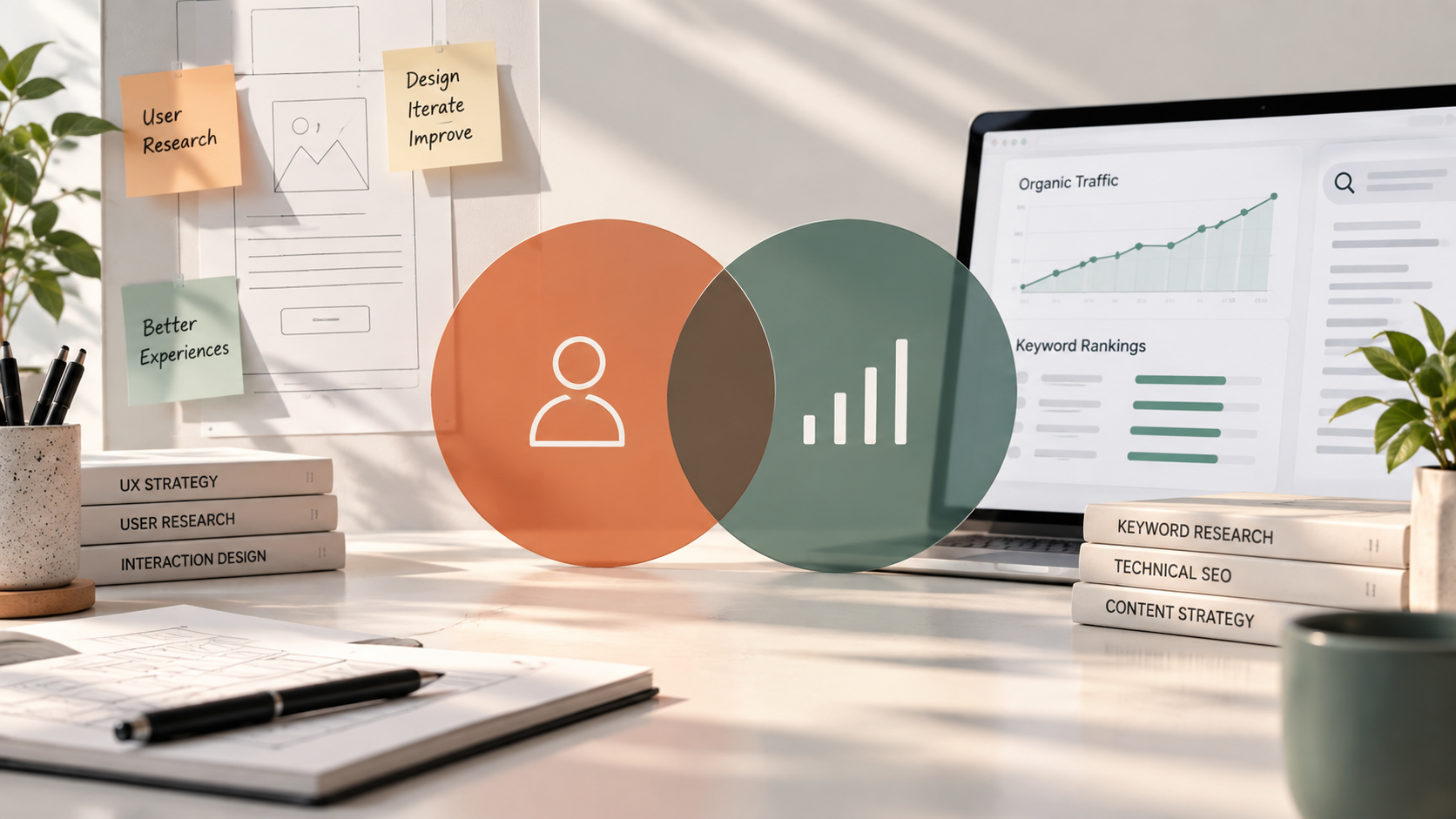
Building a solid user journey map at this stage is one of the most effective ways to ensure the site structure actually reflects how your audience moves from awareness to a decision.
What you need to provide:
- An inventory of existing content (if this is a redesign)
- Any pages that are non-negotiable
- Input on the primary actions you want users to take
Phase 3: Design
With the structure approved, design brings the site to life visually. This phase has two distinct steps and they should not be collapsed into one.
Wireframes
Wireframes are low-fidelity layouts that show the structure of each page without any visual styling. They define where content blocks, CTAs, images, and navigation elements sit on the page. Wireframing before designing prevents a common and expensive mistake: falling in love with a visual treatment before confirming the layout actually works. It is much easier to move a CTA in a wireframe than to redesign a fully rendered page.
Visual design
Once wireframes are approved, the design team applies the visual layer: colors, typography, imagery, spacing, and brand expression. Every page template gets designed with desktop and mobile in mind.
What you need to provide:
- Finalized brand guidelines (logo, color palette, fonts, tone of voice)
- Feedback on wireframes before visual design begins
- Timely review rounds, because design tends to stall when client feedback is slow
One important note: if your branding is not locked before this phase, it needs to be. Building a website on a brand identity that is still in flux leads to expensive revisions. If the business has outgrown its positioning, messaging, or visual identity, complete the necessary rebranding services before visual design begins. Brand first, then design, then build.
Phase 4: Development
With designs approved, development begins. This is where the site gets built.
Frontend development
Frontend development translates the approved designs into working web pages using HTML, CSS, and JavaScript. This covers everything the user sees and interacts with: layouts, animations, navigation, forms, and responsive behavior across devices.
Backend development and CMS setup
Backend development handles the server-side logic: databases, user authentication, APIs, and any dynamic functionality. CMS setup gets configured so your team can update content without touching code.
Platform selection
The platform you build on affects the entire development phase: timeline, flexibility, cost, and how easy the site is to manage afterward.
- Webflow is well-suited for marketing sites that need design precision and fast iteration, without the overhead of plugin management
- WordPress offers a large ecosystem of plugins and a familiar editing experience, making it a strong choice for content-heavy sites or teams that need extensive customization, particularly when the build is handled by an experienced WordPress development company
- Drupal is a strong choice for complex, content-heavy, multilingual, or security-sensitive websites that require advanced content modeling, granular user permissions, and deep integrations. Specialist Drupal development services can configure the platform around an organization’s workflows while keeping the website scalable, secure, and manageable over time.
- Custom builds make sense for complex applications, unique functionality, or sites that need deep integrations that off-the-shelf platforms cannot support
The right choice depends on your goals, your team's technical comfort, and what you plan to do with the site after launch. For brand-led marketing builds in particular, a specialised Webflow development company will usually get more out of the platform than a generalist team, because the design-to-build workflow is what Webflow is engineered around.
Phase 5: Content integration
Content integration is one of the most underestimated phases in the website development process and the most common reason projects go over deadline.
What happens in this phase:
- Final copy is written, reviewed, and approved for every page
- Images, video, and other media assets are sourced or created
- All content is formatted and loaded into the CMS
- SEO elements are applied: page titles, meta descriptions, header tags, alt text
Why this phase gets skipped (and why it should not be):
Generic process guides treat content as something that just shows up before launch. In practice, content is almost always the bottleneck. Development cannot fully wrap up without real content in place. Placeholder text changes layouts, affects spacing, and hides real UX problems.
What you need to provide:
If your team is handling copy and creative, content should be ready before development wraps. If you would rather hand it off, Striped Horse handles copywriting and content production as part of the website development services, which keeps the timeline clean.
Phase 6: QA and testing
QA is not a checkbox. It is a full review pass across every page, device, and browser before anything goes live.
What gets tested:
- Cross-browser compatibility: Chrome, Safari, Firefox, Edge
- Mobile responsiveness across every breakpoint, not just desktop and phone
- Page speed and performance: Core Web Vitals, image compression, load time
- Functionality: forms, CTAs, navigation, search, any interactive elements
- Broken links, both internal and external
- Accessibility: basic WCAG compliance, alt tags, contrast ratios
Why this phase cannot be rushed:
A bug found in QA takes minutes to fix. The same bug found post-launch, by a real user, takes longer to fix and has already done damage. The cost of skipping thorough testing is almost always higher than the cost of doing it right. This is especially true for government website design, where Section 508 compliance failures can trigger formal complaints and mandatory remediation rather than just user friction.
What you need to do:
Once the agency completes internal QA, you will get access to a staging environment for user acceptance testing (UAT). This is your team's chance to click through the site, test forms, review content, and flag anything that does not look or work as expected. Stakeholder sign-off closes this phase.
Phase 7: Launch and post-launch
Launch is not the finish line, but it is a significant milestone.
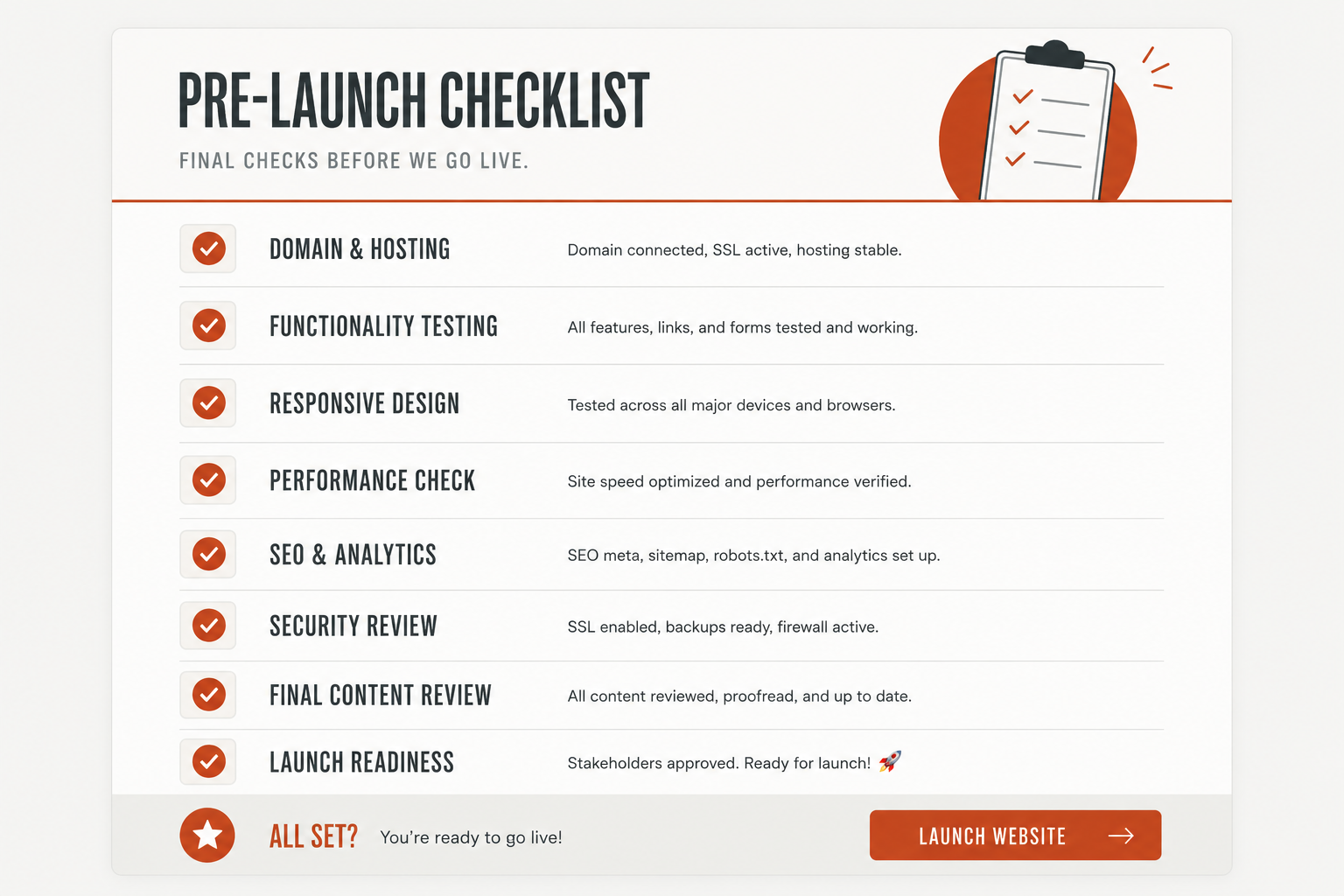
Pre-launch checklist:
Before the site goes live, your development team should verify:
- DNS is pointed correctly and propagation is confirmed
- 301 redirects are in place for any changed URLs (critical for SEO on redesigns)
- Google Analytics and any other tracking is firing correctly
- XML sitemap is submitted to Google Search Console
- SSL certificate is active
- Robots.txt is configured correctly
Go-live:
Once everything is confirmed, the site gets pushed to production. For most projects, this is a straightforward process if the pre-launch checklist was completed properly.
Post-launch monitoring:
The work does not stop after launch. In the first 30 to 60 days, you should be monitoring organic traffic trends, Core Web Vitals in Google Search Console, conversion rates on key pages, and any crawl errors or indexing issues. A well-built site improves over time, and post-launch iteration is where long-term performance gets built.
What to look for in a web development partner
- A documented, repeatable process. An agency that cannot clearly explain how they work is making it up as they go. Look for clear phase definitions, defined deliverables, and milestone-based timelines.
- Separate phases for IA and design. Agencies that jump from a brief straight into visual design often produce sites that look good but do not perform. Structure and hierarchy have to come before visual treatment.
- Content support built into the engagement. Some agencies hand you a finished site and expect you to figure out the copy. Others build content production into the process. Know which you are getting before you sign.
- Post-launch involvement. Launch is the beginning of the site's life, not the end of the project. A good partner stays involved at least through the initial monitoring window.
If your team is considering working with an external vendor, understanding how to outsource web development the right way makes a significant difference in how smoothly the engagement runs.
Ready to start your website project?
A great website does not happen by accident. It is the result of a well-run process executed by a team that knows what they are doing at each step.
At Striped Horse, we have built this process over years of working with growing businesses across industries. From the first discovery call to post-launch optimization, every phase has a clear purpose, defined deliverables, and a team accountable for the outcome.
If you are ready to build something that actually works, get in touch.